Introduction
Maintaining high network uptime requires proactive, real-time monitoring. Tachyon TNA series devices are widely used in carrier-class networks where high throughput and reliability are critical.
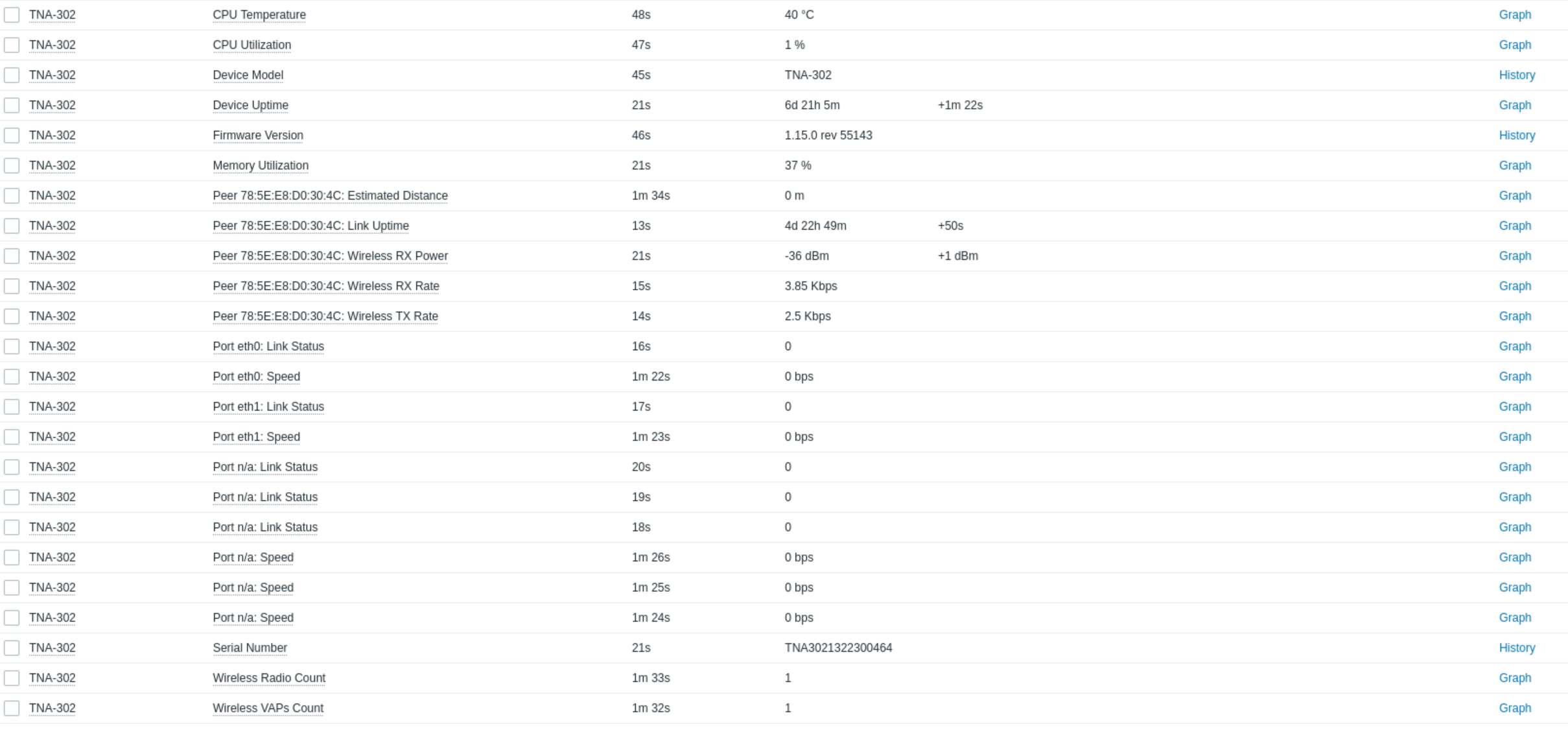
Using the Simple Network Management Protocol (SNMP), Zabbix provides comprehensive visibility into these devices. This integration allows network administrators to track general system health (CPU, RAM, uptime), interface bandwidth, and specific wireless link metrics like RSSI.
This article provides a quick guide to configuring Tachyon TNA hardware and Zabbix to automate data collection, visualize performance trends, and set up proactive alerts for potential link degradation.
Configuration
The configuration is divided into two parts: the TNA device configuration and the Zabbix server configuration.
TNA device
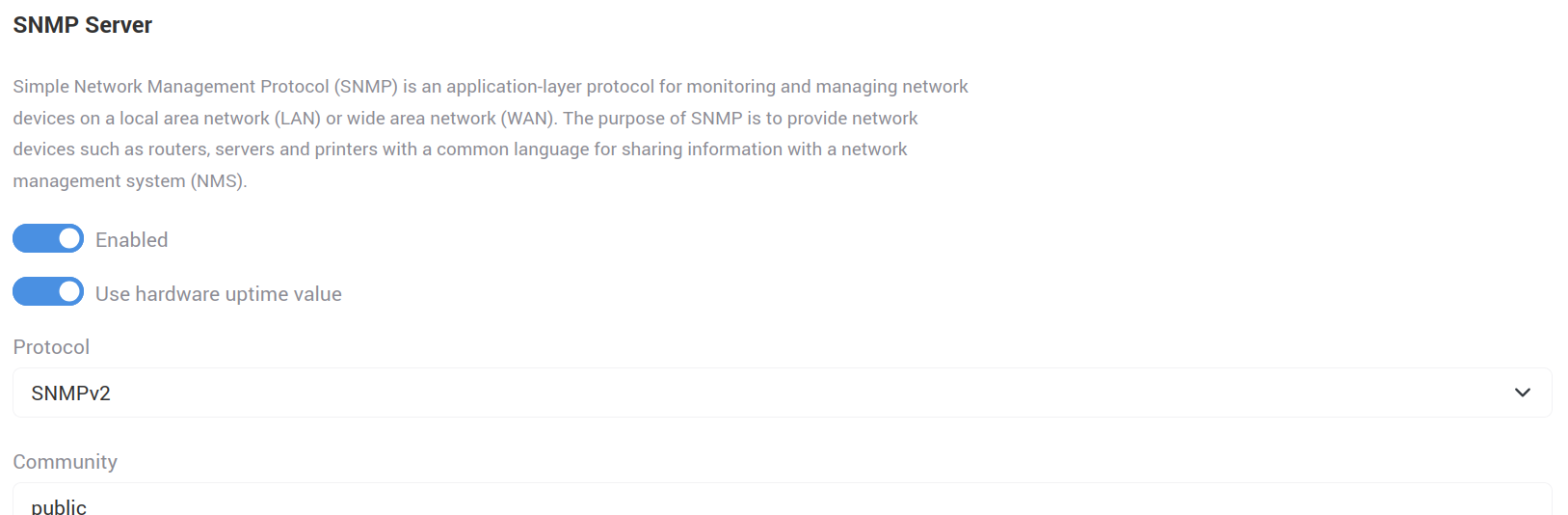
On TNA devices, it is sufficient to navigate to Configuration → Services and enable the SNMP service in the SNMP Server section.
It is also recommended to enable Use hardware uptime value, as otherwise the SNMP uptime value will reflect the SNMP service uptime rather than the device uptime.
Zabbix
To poll specific metrics from the Tachyon TNA series, users have two deployment paths:
- Beta Template: Use the pre-configured Tachyon Zabbix beta template for a quick, out-of-the-box setup that automatically maps primary system and wireless metrics.
Custom Template (via MIB): Create your own custom template from scratch by referencing the official Tachyon MIB file to manually select and configure the specific OIDs required for your deployment.
The next step is to add the device as a host.

Once the chosen template is linked to the device host via its SNMP interface, Zabbix will begin active polling.
How to use Zabbix, add devices, and import or create a template — follow the official Zabbix documentation.
Once the configuration is complete, Zabbix delivers centralized, real-time visibility and proactive management capabilities for the entire Tachyon TNA fleet: