
Introduction
In point-to-point (PTP) or point-to-multipoint (PTMP) wireless deployments, bridging networks is the standard approach to extend connectivity. However, there are scenarios where a simple bridge is insufficient, and deploying a standalone router at the remote site is unfeasible due to space, cost, or complexity constraints.
This configuration example demonstrates how to configure a TNA303L-65 device in Client Router (STA Router) Mode combined with Port Forwarding. By transitioning the Station (STA) device from a transparent bridge to a router, it establishes a distinct network boundary utilizing NAT (Network Address Translation) and an internal firewall. This effectively isolates the remote site’s local area network (LAN) from the main backbone network (WAN), preventing IP conflicts, enhancing security, and reducing unnecessary broadcast traffic.
While this setup secures the internal network, it blocks unsolicited inbound traffic. To grant administrative or operational access to specific critical assets behind the client router—such as IP surveillance cameras, Network Video Recorders (NVRs), or localized servers—Port Forwarding is implemented. This guide provides a step-by-step walkthrough to successfully isolate a remote network while maintaining seamless external access to dedicated internal services.
Topology
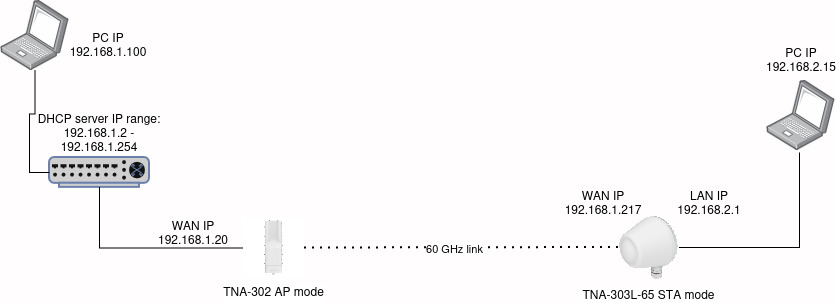
Configuration
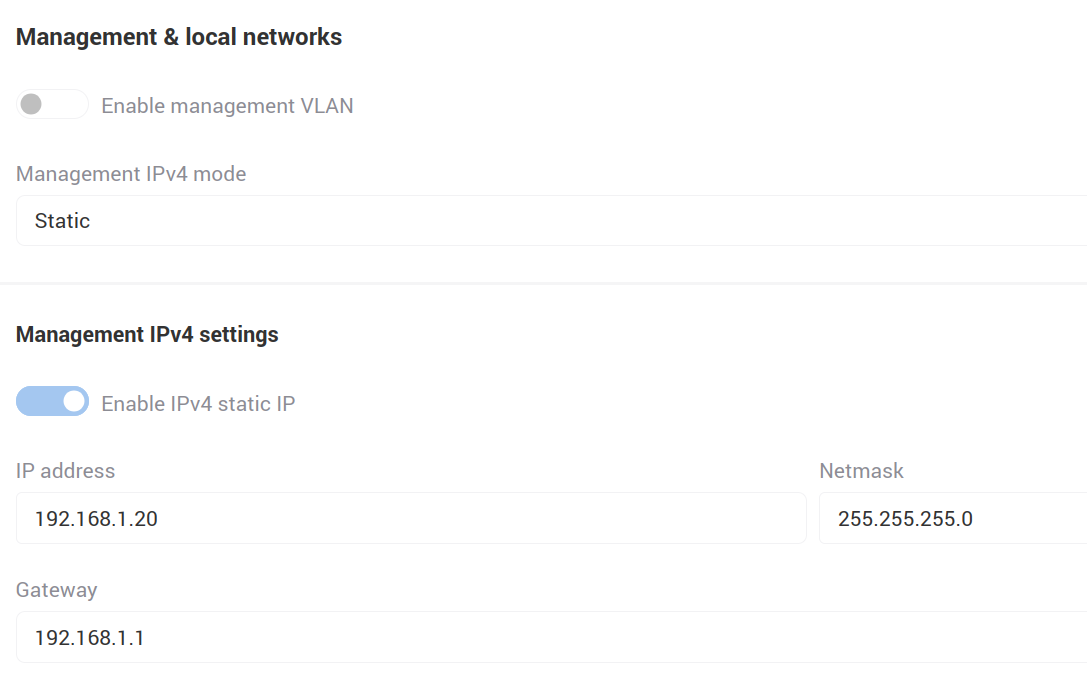
TNA-302
Based on the topology, we configure the TNA-302:
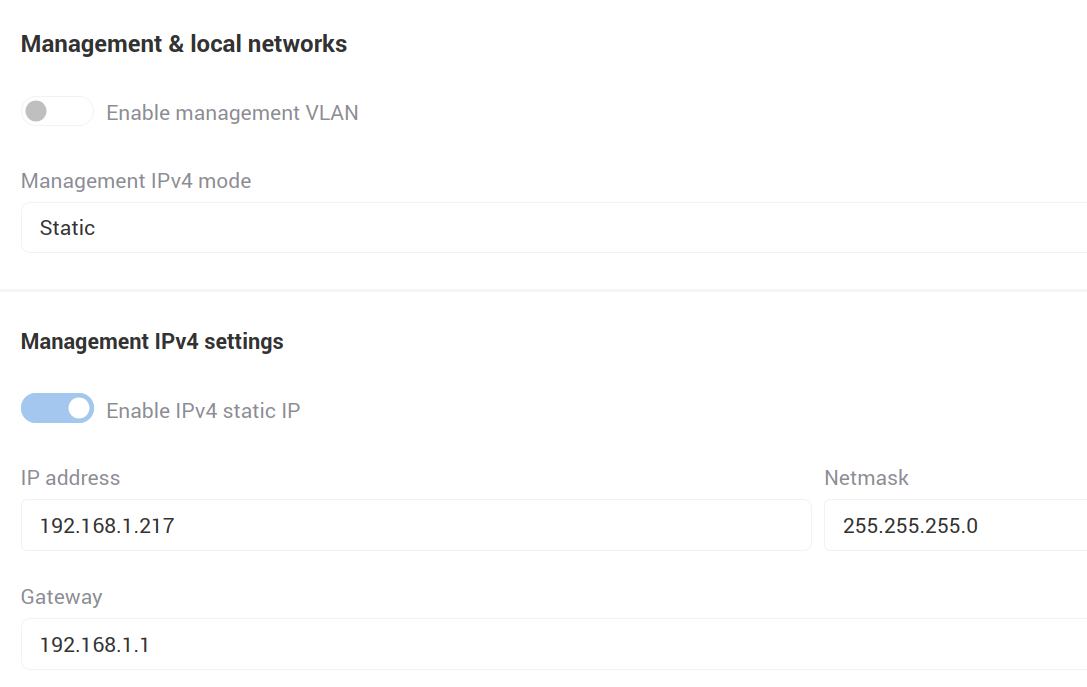
TNA-303L-65
In the same manner, we configure the TNA-303L-65.
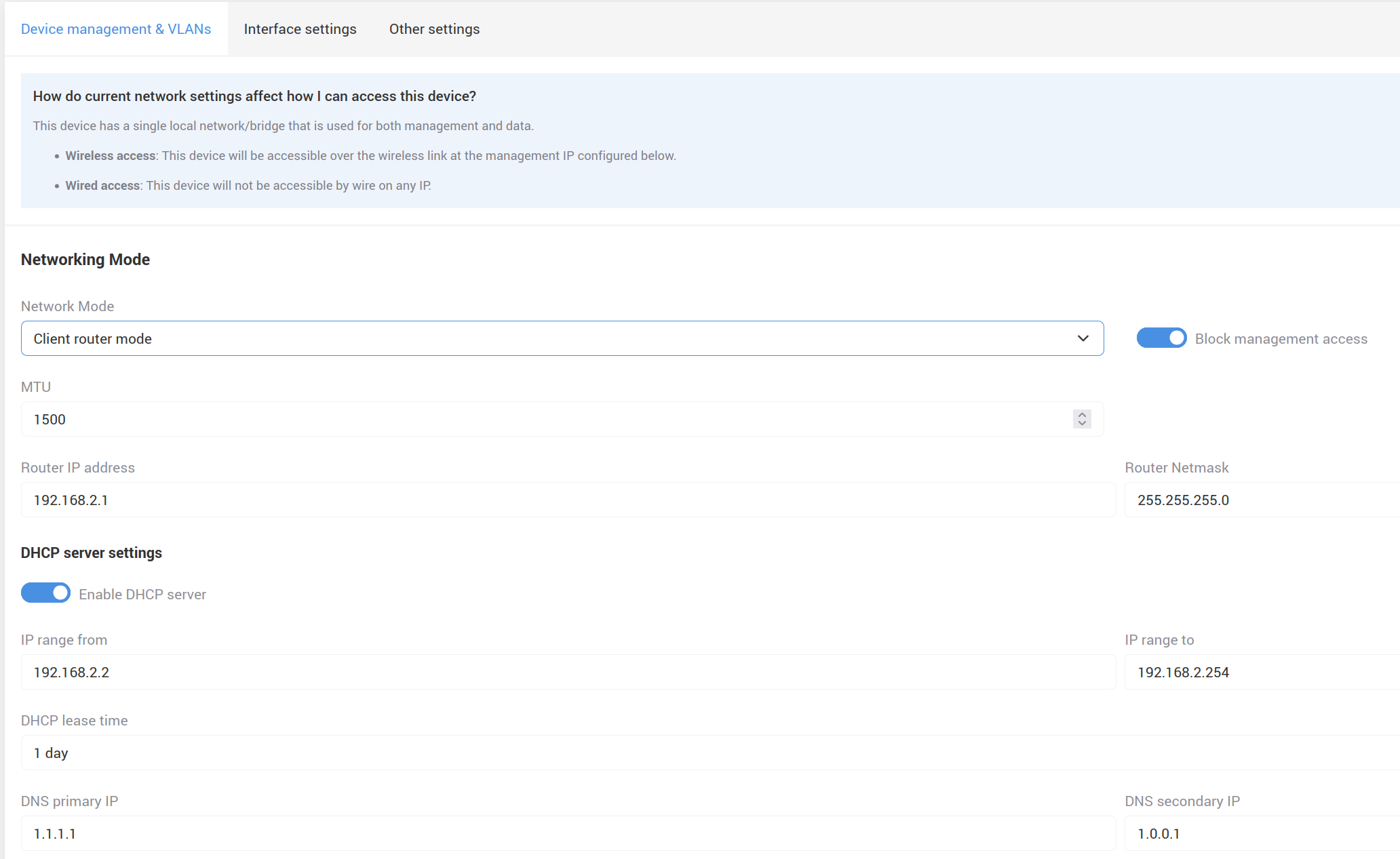
Select Client router mode under Network Mode, and configure the Router IP address according to the network topology.
After saving the configuration, the Port Forwarding option will appear in the upper Network menu. Create a new Port Forwarding rule.

Save the changes.
Testing
From the PC connected to the DHCP server, execute a telnet command targeting the TNA-303L-65 WAN IP address and specify port 3389(Note: The PC connected to the TNA-303L-65 must have port 3389 open).
If you receive the output Connected to 192.168.1.217, it indicates that port forwarding is working correctly.
